
Week 21: Fake competition – Hackers hijack WhatsApp accounts with a voting scam
The NCSC has identified a sophisticated scam involving cybercriminals taking over WhatsApp accounts. Victims receive a message that appears to be from someone they know, asking them to vote for their child in a competition. Anyone who follows the link and unsuspectingly enters a verification code or scans the QR code on the scam website immediately loses access to their WhatsApp account. This week's review explains how to prevent this kind of attack and how to recover your WhatsApp account if it has been hacked.
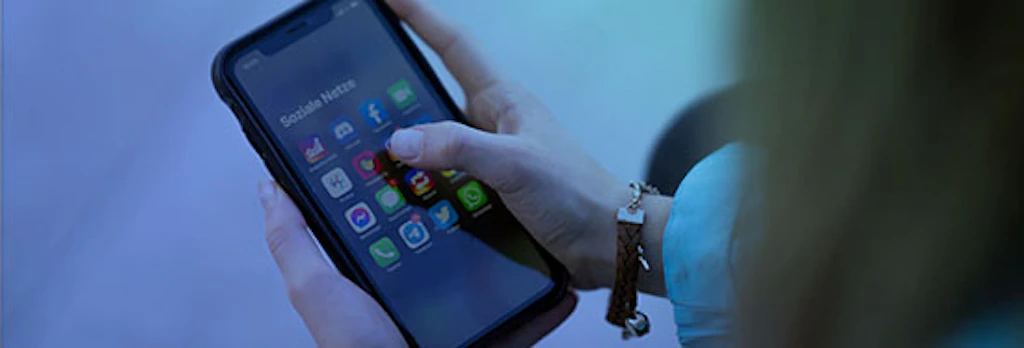
Over the past week, the NCSC has received an increasing number of reports of WhatsApp accounts being hijacked. Losing access to your own mobile number on the messaging service often begins with what seems to be an innocent request for a favour, supposedly from someone you know.
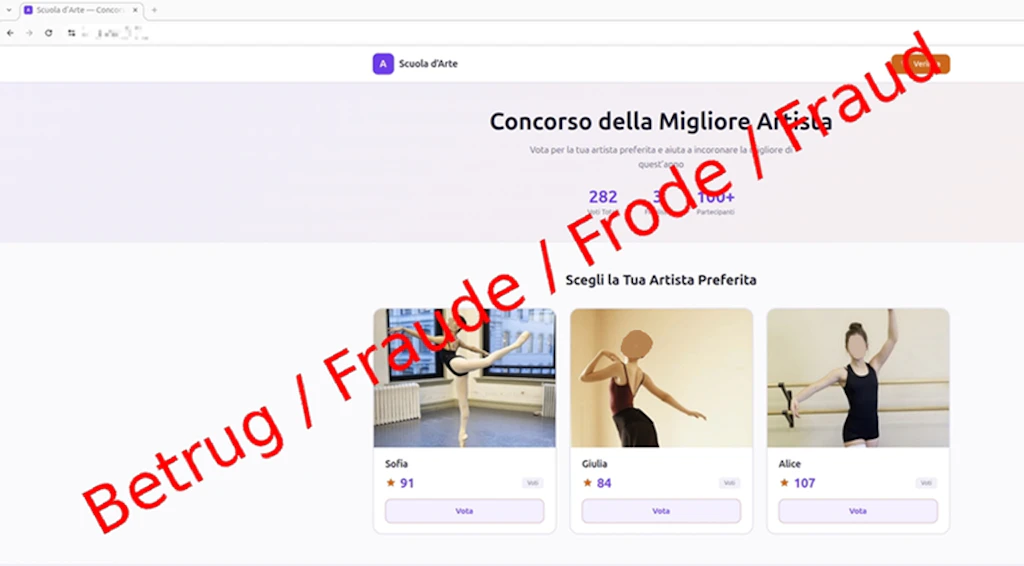
A vote for “Sofia”
The scammers shamelessly exploit the trust between friends. The messages are being sent in several languages (often Italian or German) and say things like: “Hi, please vote for my friend's daughter, it would really help them. Her name is Sofia. I think voting ends soon – it'll take you less than a minute.”
Because the message comes from someone in your own contact list, you may not suspect anything is wrong at first. The request plays on your willingness to help a child in a school competition, while the artificial time pressure of “the voting ends soon” is designed to make you act without thinking. What you do not know at this point is that the saved contact's account has been hacked.
The trap on the scam website: Text message or QR code
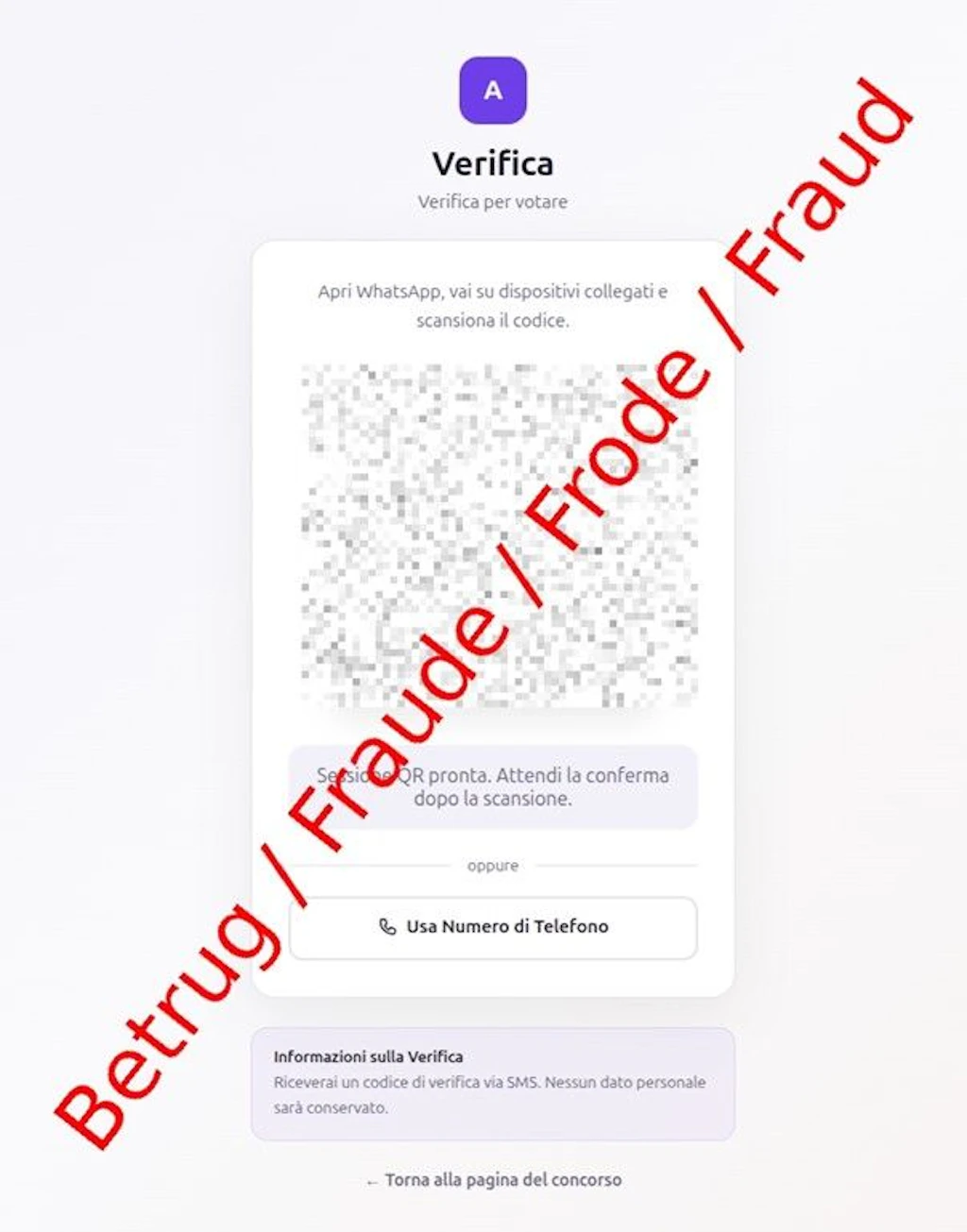
Clicking the link in the message takes you to a fake website that resembles a voting page or school website. In order to supposedly cast your vote, the scammers will often give you a choice between two methods – both of them dangerous:
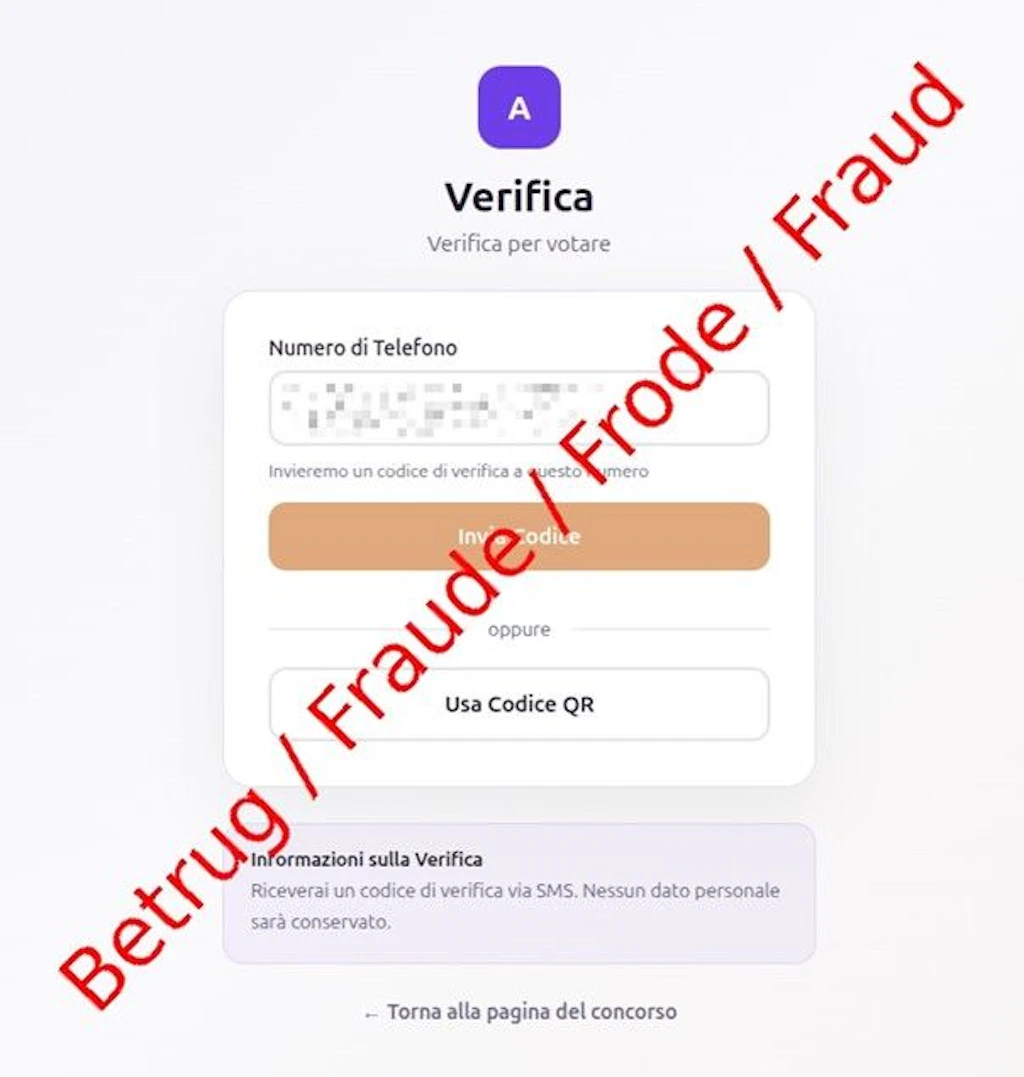
- Text message code: First, you are asked to enter your mobile number. You are then told that you will receive a text message with a code that you need to enter on the website. In reality, this is the six-digit WhatsApp registration code that the scammers are trying to use to set up your account on their own device.
- QR code: In cases reported to the NCSC, a QR code and instructions are displayed on your screen in Italian: “Apri WhatsApp, vai su dispositivi collegati e scansiona il codice” ("Open WhatsApp, go to Linked devices and scan the code"). As soon as you enter the text message code or scan the QR code, the trap is sprung. By getting you to scan the QR code, the criminals are abusing WhatsApp's “Linked devices” feature, which is normally used to access WhatsApp on a computer via WhatsApp Web. This allows them to secretly link their own system to your account.
In both cases, the attackers gain full control of the account. This gives them access to your entire contact list, message history, and all media and groups stored in WhatsApp. This means that any personal conversations, photos or confidential information exchanged via WhatsApp could be exposed. In some cases, cybercriminals also use the hijacked account to spread disinformation in group chats or launch further scams. They send the same scam message ("Vote for my friend’s daughter...") to all of the victim's contacts. The scam starts all over again, spreading from one hijacked account to the next.
Recommendations
- Be sceptical of links to votes or competitions received via messaging services, even if they come from close friends or family members. If in doubt, contact the sender via an alternative method.
- Never share your six-digit WhatsApp verification code and never enter it on unfamiliar websites.
- Only use the “Linked devices” feature in WhatsApp if you want to set up WhatsApp Web on your own computer or tablet. Never scan QR codes that were sent to you or displayed on unfamiliar websites.
- Protect your WhatsApp account in advance by setting up a PIN as an additional security measure: go to Settings > Account > Two-step verification.
What to do if your account has been hijacked
- Using a different channel (e.g. by text message, phone call or email) immediately let your contacts know that your account has been hacked and that they should ignore any messages from you and not click on any links.
- Log out of any unknown devices (in the case of QR code scams): Do you still have access to the app on your smartphone? In WhatsApp, go straight to “Settings” > “Linked devices”. Tap any unknown browsers or computers and select “Log out”.
- Recover your account (in the case of text message code scams): Have you been logged out of WhatsApp on your phone? Log back into the app using your mobile number. You will receive a new six-digit code by text message. As soon as you enter it, the attackers will automatically be logged out of your account.
- If the scammers have in the mean time set up a PIN for two-step verification, you will need to wait seven days before you can log in again without this PIN.
Current statistics
Last week's reports by category: