
Week 38: Genuine Google emails, fake support and a dangerous back door
A security alert sent directly from Google to your inbox, followed shortly after by a phone call from someone claiming to be from "Google Security Support" – and the display even shows a Swiss number! In its latest weekly round-up, the NCSC highlights a sophisticated chain of attacks in which fraudsters hijack genuine Google messages, carry out phishing via manipulated websites and gain an undetected back door into accounts using "app passwords".

The NCSC has been investigating calls from fake support staff claiming to be from Microsoft, Google or other organisations for many years. Last week, however, we received several reports that had an additional distinctive feature: the attackers use genuine system messages from Google to prepare specific victims for a scam call and, if successful, manipulate the account settings so cleverly that simply changing the password has no effect.
Fraudulent security warnings from a genuine source
Anyone setting up a Google account can provide an alternative email address, known as a recovery address, to be used in the event of an emergency. Google automatically sends an email to this address to provide information about security-related incidents.
It is this particular process that the attackers exploited:
- They created their own new Google account and entered the victim’s email address as the recovery address.
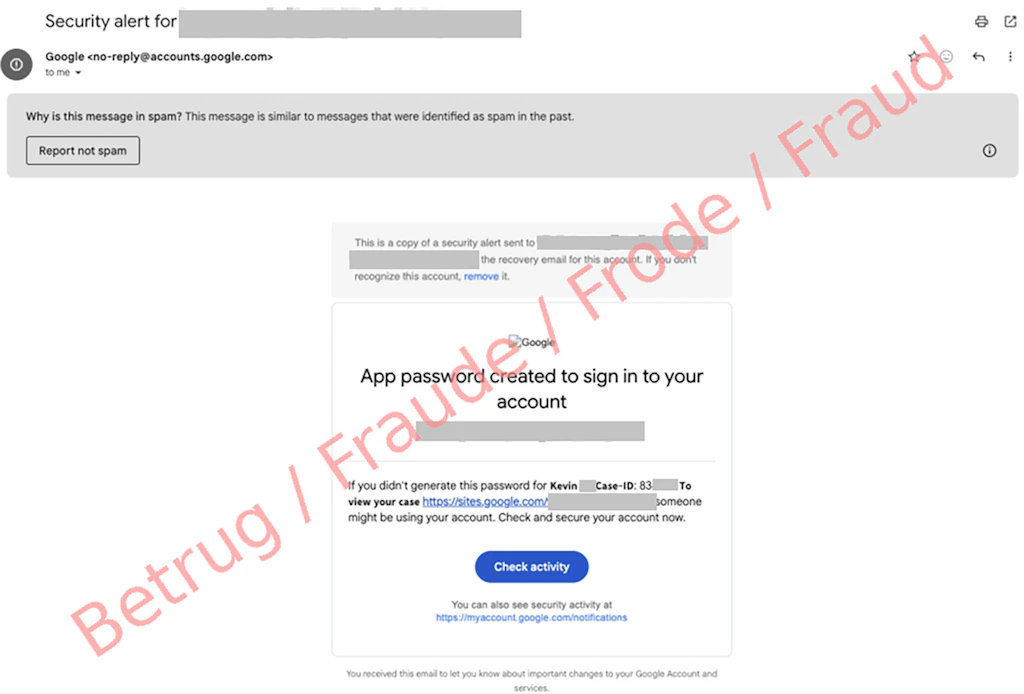
- They then generated a device password in their own account and entered the following in the text field: "Kevin W. Case ID: 834333 To view your case…".
- Google’s automated system then sent the victim an official security warning, which appeared entirely genuine in technical terms. As the subject line was automatically copied into the email, it looked to the recipient as though Google was dealing with an urgent support case, complete with a case handler and a case number.
A call from a Swiss number and phishing via Google Sites
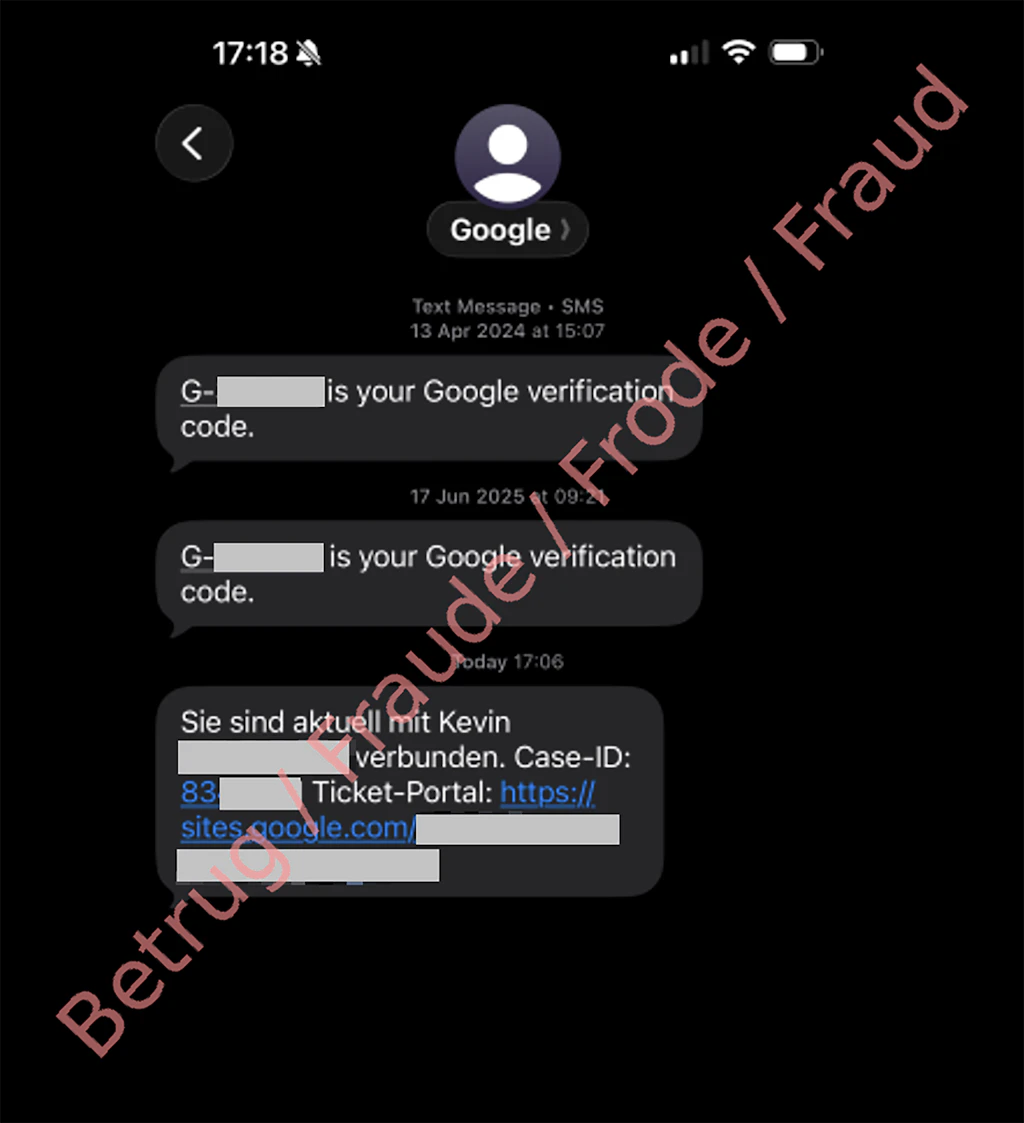
Shortly after the email arrived, the victim’s phone rang. A person introduced themselves as a member of Google’s support team. The phone display showed what appeared to be a trustworthy landline number from Google, but which had been spoofed by the fraudsters.
The caller was extremely persuasive, telling the victim that their account was at direct risk and they would lose access to it if they did not act immediately. Even when the victim pointed out that their account was protected by a physical hardware key, the caller did not give up.
To resolve the supposed emergency, the fraudsters redirected the victim to a phishing site. To do this, they used the "Google Sites" platform (sites.google.com), which offers users an easy way to create their own websites. As a legitimate Google domain is then displayed in the browser"s address bar, the page appears trustworthy at first glance and arouses less suspicion. However, a malicious login form had in fact been embedded, and it sent the victim’s login details directly to the fraudsters.
The back door: What are "app passwords"?
Once the victim had entered their login details, the fraudsters immediately gained access to the Google account and set up what is known as an "app password" within a matter of minutes. This is a special access code for older applications, which can be used without the need for additional two-factor authentication. The app password allowed the perpetrators to retain access to the account even after the user had changed their password. In the reported case, emails and contacts continued to be synchronised to a device abroad, unnoticed, for some time after the attack.
Telephone spoofing despite protective measures
Since the middle of 2026, stricter regulations for telecoms service providers have been in force in Switzerland to prevent persons calling from abroad from using fake Swiss landline and mobile numbers, or to flag such numbers as "unknown". This has already led to a noticeable drop in the number of fake calls purporting to be from official bodies. However, this case shows that a Swiss caller ID, a Swiss telephone number or a local area code on the display is still no guarantee of a call’s authenticity, as fraudsters are constantly finding new ways to operate.
Recommendations
- Genuine platform operators never call users out of the blue regarding security incidents. If you receive a call like this, hang up immediately.
- Never divulge passwords, SMS codes or verification codes over the phone, and do not enter them on any website if you are pressured to do so while on the phone.
- Official Google login pages can only be found at "accounts.google.com"; they are never at "sites.google.com".
- After an attack, it is important to close any "back doors". If you suspect that your login details have been compromised:
- Change your account password immediately.
- In your account settings, log out of any active sessions and disconnect any unauthorised devices.
- In your Google Account, go to "Security" and check the "App passwords" section. Delete all the entries stored there, without exception.
- Check any recovery email addresses and automatic forwarding rules stored in your email account.